BuzyTeam AI

Your AI HR Partner.

Handle everyday HR work faster with an AI assistant that can find information, understand context and take action with your approval.

Agent introduction

Meet Your AI HR Specialist

Built to work with your HR data, HR Agent helps you find information, understand what’s happening and complete everyday HR tasks through conversation.
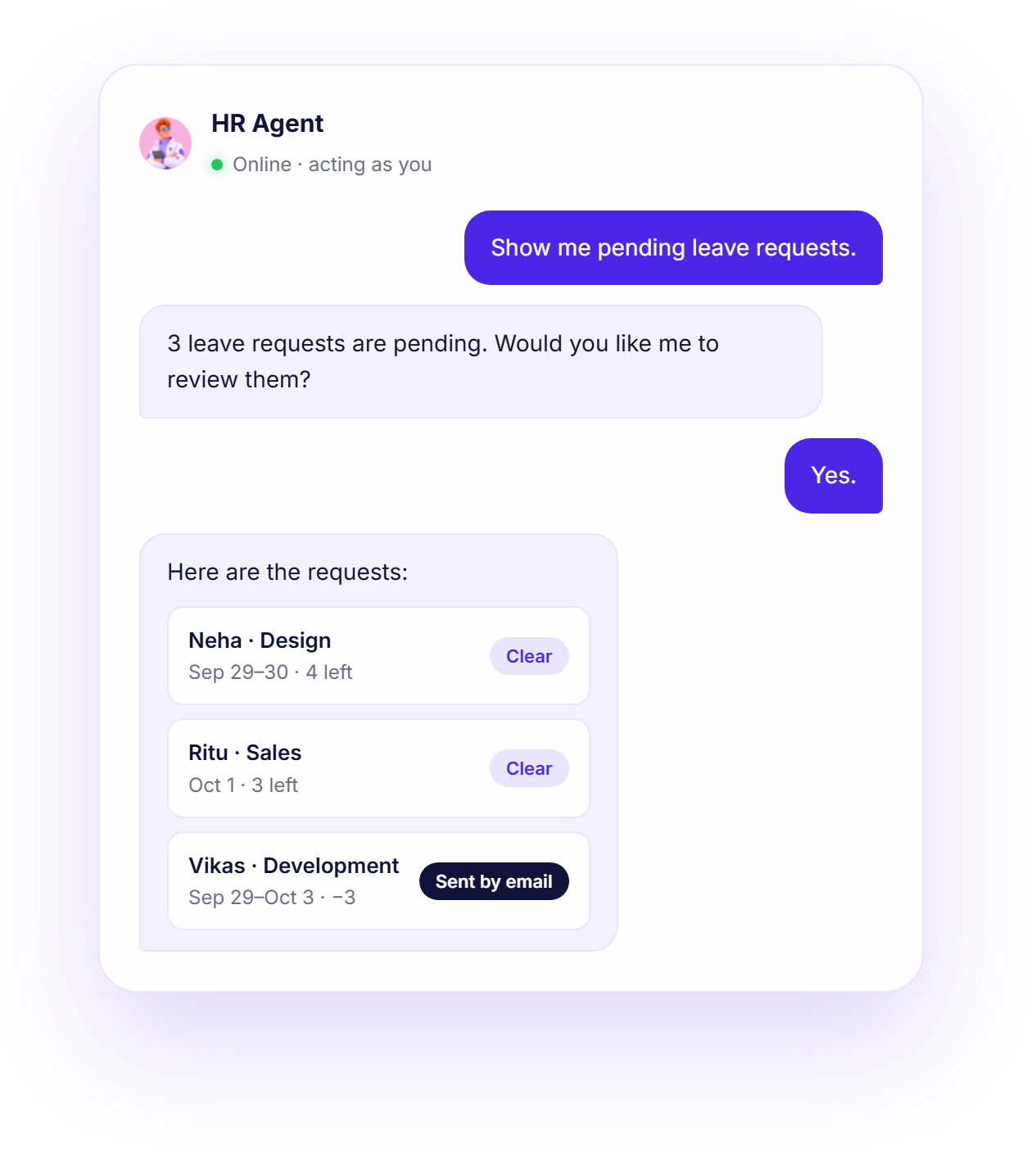
HR Agent conversation reviewing pending leave requests

People operations

Attendance, leave, on-duty and regularization requests.

Employee lifecycle

Onboarding, documents, probation, confirmation and extensions.

HR communication

HR cases, Team Connect, the HR mailbox and HR letters.

Payroll & exit

Payroll status and blockers, resignations, clearance and F&F.

Capabilities

Everything You Need. One AI Specialist.

What the HR Agent can help with, grouped by the work you do.

Read & Write

Read the Context. Take the Action.

HR Agent understands your people operations and helps you move the right workflows forward.

Read

What your AI can understand.

  • Attendance & LeaveAttendance · Leave balance · Leave requests · On-duty · Policies
  • OnboardingOnboarding status · Invites · Configuration
  • ProbationProbation status · Employees on notice · Reviews · Queries
  • DocumentsEmployee documents · Document types · Missing documents
  • PayrollPayroll run status · Validation issues · Payroll runs
  • Exit & OffboardingResignations · Exit details · Exit clearance · F&F status
  • Employee & WorkforceEmployee information · Workforce snapshot · Case history
  • HR IntelligenceRisk signals · Reports · Employee progress · Daily brief
  • HR CasesHR cases · Team Connect entries · Help & policy
Write

What your AI can help you do.

  • Attendance & LeaveApply leave · Mark attendance · Update on-duty Confirm
  • OnboardingInvite employee · Send offer · Verify documents · Approve onboarding Confirm
  • ProbationConfirm · Extend · Request review · Add review Confirm
  • DocumentsRequest document upload · Manage document lock
  • PayrollApprove payroll · Process payroll Confirm
  • Exit & OffboardingResignation · Clearance · Exit interview · F&F Confirm
  • HR Cases & CommunicationDraft HR document · Create case · Update case · Team Connect note
Human in control

HR Agent works within your existing permissions. Supported write actions are reviewed and confirmed before they run.

How it works

Just Ask. Your Agent Gets to Work.

  1. 01

    Ask

    Tell your agent what you need.

  2. 02

    Understand

    The agent finds the relevant information.

  3. 03

    Prepare

    It prepares the requested action.

  4. 04

    Confirm

    You review and approve before anything changes.

HR AgentActing as you · within your permissions
Whose probation ends this month?
Sneha (QA) finishes probation on Sep 30 with good reviews and no cases.
Draft her confirmation letter.
Confirm before it runsHR Agent

Confirmation letter for Sneha (QA) is ready. Save the draft?

ConfirmEditCancel
Yes.
Done. The draft is saved.
Ask HR Agent…Send
Inside the agent

A Focused Workspace for HR.

HR AgentGood morning. Here’s what needs attention.
Review
3Leave requests
2Probation reviews
1Payroll blocker
Why is Vikas’s request flagged?
It would take his balance to −3 days and overlaps with Arjun on demo day.
Confirm before it runsHR Agent

Draft a reply to Vikas with a paid + unpaid option?

ConfirmEditCancel
FAQ

Questions about the HR Agent

Everything you need to know about the HR Agent before you start.

A chat-based assistant in BuzyTeam for HR work. You talk to it like a colleague — it looks things up and acts, with your OK.

People Operations, Employee Lifecycle, HR Communication, Payroll & Exit, HR Intelligence. See the capabilities above for the full list.

The HR data your role already allows you to see — attendance and leave, onboarding, probation, employee documents, payroll status, exits and F&F, HR cases and HR reports.

Yes. It can apply leave, mark attendance, send offers, confirm or extend probations, request documents, process exits, draft HR documents and more. Every write action is shown to you first and only runs after you confirm.

No. It acts as the logged-in user, through the same permissions you already have, so it can never see or do more than you could by hand.